
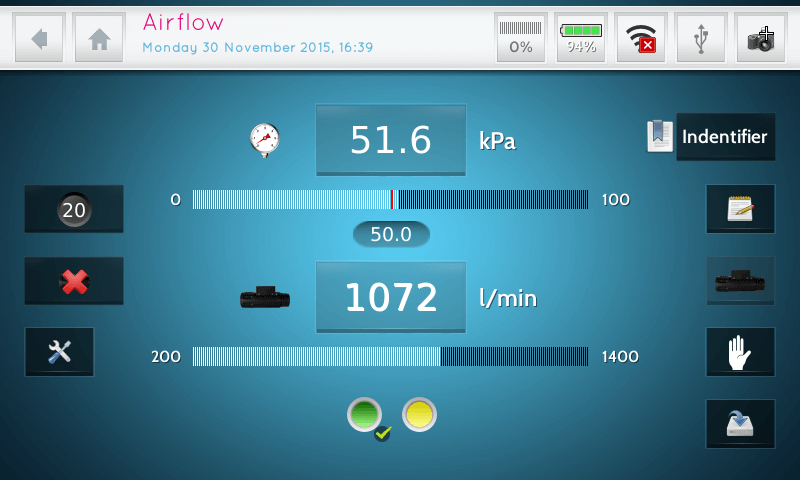
Airflow-Meter App
SKU: 6.20.00.00001
The Airflow-Meter App provides the technician the values of Airflow and Vacuum in one screen. This App gives in digits the value of the connected Electronic Aiflow-meter (offered later in this price-list). Also manual Airflow values can be entered in case an other Airflow-Meter as the Electronic Airflow-Meter of ATV is being used in combination of a measurement Protocol. With help of this App, values can be saved with an identifier and notes as it is used in stand-alone measurements. In measurement protocols, values will be transferred to this protocol automatically.
The Airflow-meter already bought used to a PT-V is compatible with the PT-VI. Users needs to order this App only!
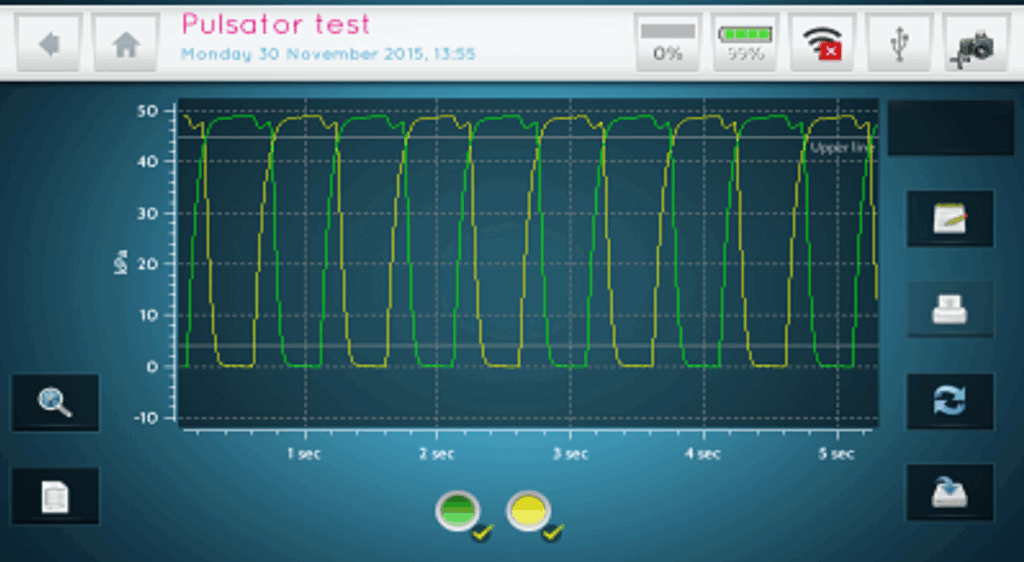
Pulsator Test Single App
The Pulsator Test Single App records Pulsators. A minimum of 6 cycles will be recorded and analyzed in order to calculate to different phases according to ISO 6690 and NMC norms. Each measurement can be identified by entering an identifier-name, also a note to each measurement can be entered afterwards before saving the measurement to the memory of the PT-VI.
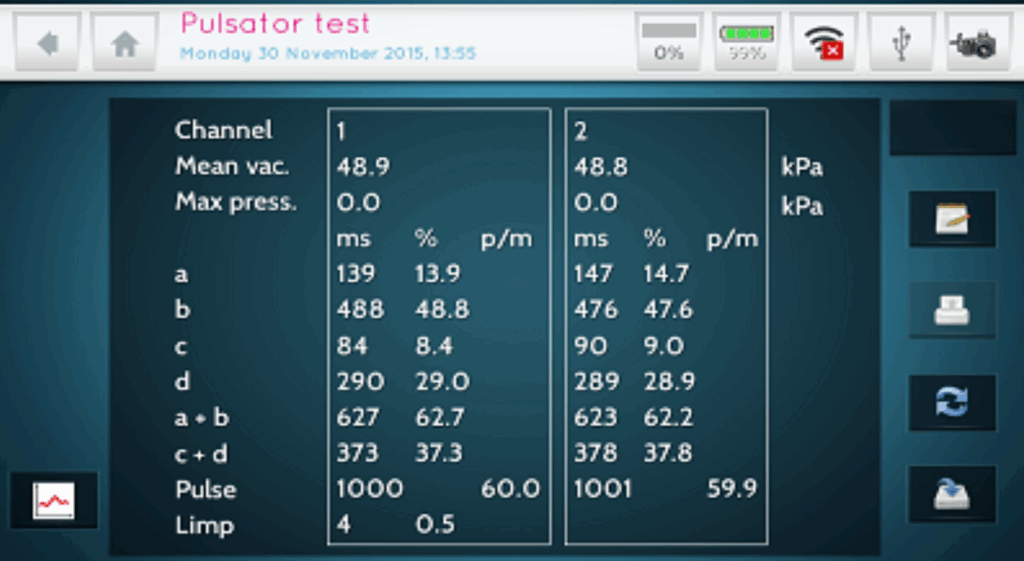
Pulsator Test Sequence App
The Pulsator Test Sequence App records Pulsators in a way that the user can enter an identifier-name manually before recording an series of pulsators in sequence order . A minimum of 6 cycles will be recorded and analyzed in order to calculate to different phases according to ISO 6690 and NMC norms. A note can also be entered before saving the measurement. The tester stays in the measurement menu and will increase the identifier with one position and will repeat this procedure until the whole series of pulsators has been recorded.

Constant Vacuum (Vacuum Fluctuations) App
The Constant Vacuum App records vacuum fluctuation in an undefined time frame. The sampling rate can be set by the user before starting the recording. The PT-VI records data until the user stops the recording manually. From the recorded data the minimum, maximum and average value will be calculated and the results can be saved with an identifier and notes. Recorded data can be zoomed in parts and from each part that has been zoomed the minimum, maximum and average data will be recalculated and can be “saved as” with a new identifier and notes. Constant Vacuum recordings can also be recollected from the memory afterwards and from there resaved as parts of it. During recording of data a marker can be added at a moment when an event occur. Event description of a marker can be written in the notes of each recording or part of it.
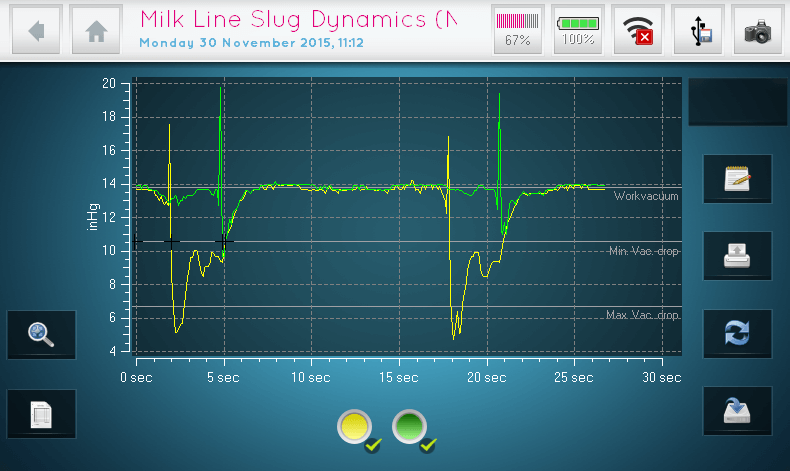
Milk Line Slug Dynamics App
SKU: 6.20.00.00003
The Milk Line Dynamics App records slugs during cleaning of the Milking Machine and calculates the Duration of the Slug, Length of the Slug and Suggested Air Injection open time according to the NMC guidelines for Milk Line Slug Dynamics. Values are calculated according to the Work Vacuum, different Milk Line Diameters, Distance between the sensors and Wrong Threshold which can be entered manually before start of recording.

Course Measurement App
SKU: 6.20.00.00006
The Course Measurement App records the Vacuum Fluctuation during an undefined time frame. Data can be recorded until the user stops the recording manually. The PT-VI divides the recording in courses. The length of the courses can be entered in a first setting screen manually. Of each course the minimum, maximum and average value will be calculated. During recording the data a marker can be placed any time when an event occurs. Each series of courses can be saved with an identifier and notes. Makers can be provided with event information in the notes also.
Sampling rate: 201Hz / ca. 1mS per sample

Collapse Measurement App
SKU: 6.20.00.0004
The meaning of the Collapse Measurement is to measure the cyclic vacuum variation in the milking claw. If this vacuum variation is too big there is a risk of bacteria transportation be-tween teats. This vacuum variation is caused by the change in capacity of the space volume under the teat. Opening and closing of the teat cup causes this capacity change.
The speed of milking (causes resistance in the outlet), the tension of the teat rubber, the size of the space volume under the teat, the diameter of the short milking tube, and the type of vacuum system (simulate or alternate), are aspects that influence the cyclic vacuum variation. A second goal of the Collapse Measurement is to measure the milk phase and rest phase. The milk phase – rest phase ratio is measured by a intersecting line that is a few kPa (Inch.Hg.) lower than the milk vacuum. This kPa (Inch. Hg) level is in approximation equal to the vacuum difference necessary for the opening and closing of the liners.
Sampling rate: 201Hz / 1mS per sample
Protocol Measurement App
SKU: 6.20.00.00007
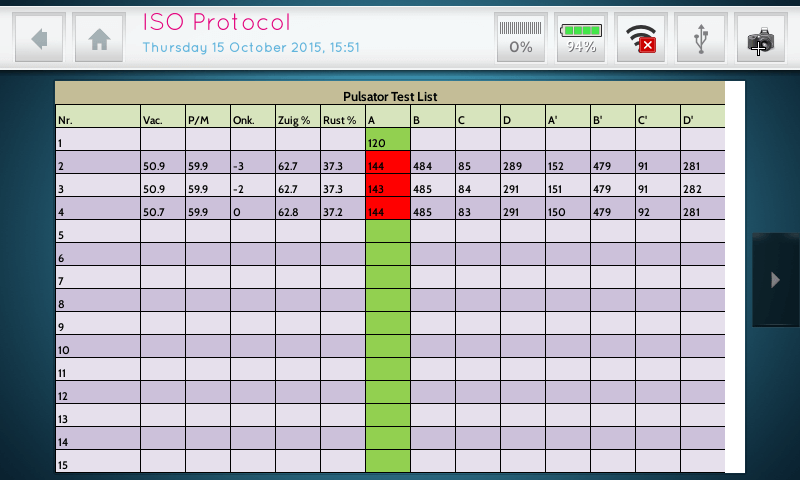
The Protocol Measurement App is an unique application in order to carry and execute measurement protocols in unlimited varieties. No longer a technician is stocked to a fixed measurement protocol. Measurement protocols like ISO or NMC or even your specific own can be created as a template in MS-EXCEL. With the Protocol Measurement App we bring the flexibility of MS-EXCEL to the PT-VI. On demand we can create any possible template that can call Measurement Apps (as given above) and their results will be placed in the protocol. Further templates contains Text, Calculations, Comparisons, Warnings and Notes. Templates which need to be created in MS-EXCEL can be ordered on demand separately and are not included in the price of this App. If a protocol is required, just contact us for an offer and instructions. This Protocol Measurement App carries and execute the protocols only and a maximum of 6 different protocols can be loaded into the Protocol measurement App.
Temperature Measurement App
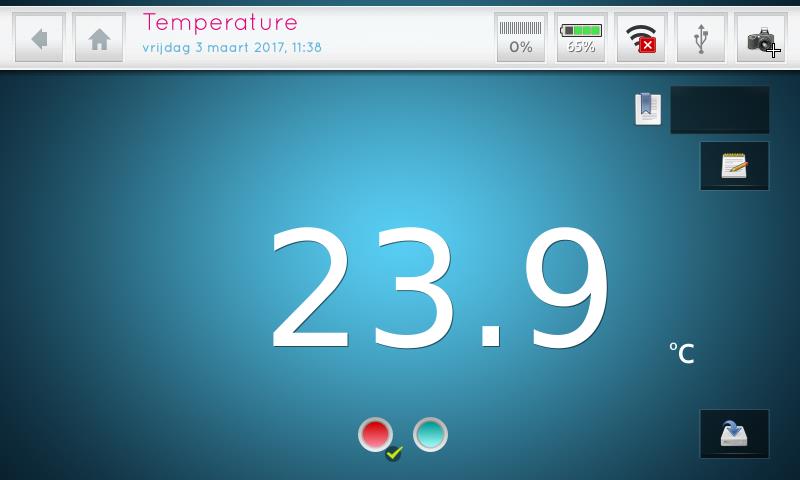
The Temperature Measurement app measures the temperature and displays the value as a static digit on the screen or records temperature fluctuations over an unspecified period of time. The PT-VI records data until the user stops the recording manually. The minimum, maximum and average values are calculated from the recorded data and the results saved with an identifier and notes. Subsets of the recorded data can be zoomed in to and for each subset that has been zoomed in to, the minimum, maximum and average data are recalculated and can be saved (Saved as option) with a new identifier and notes. Temperature recordings can also be retrieved from memory at a later time and saved as a subset. An event marker can also be added to mark events that occur during the recording. The event can be described in the notes for each recording or subset thereof.
Fall-off Measurement
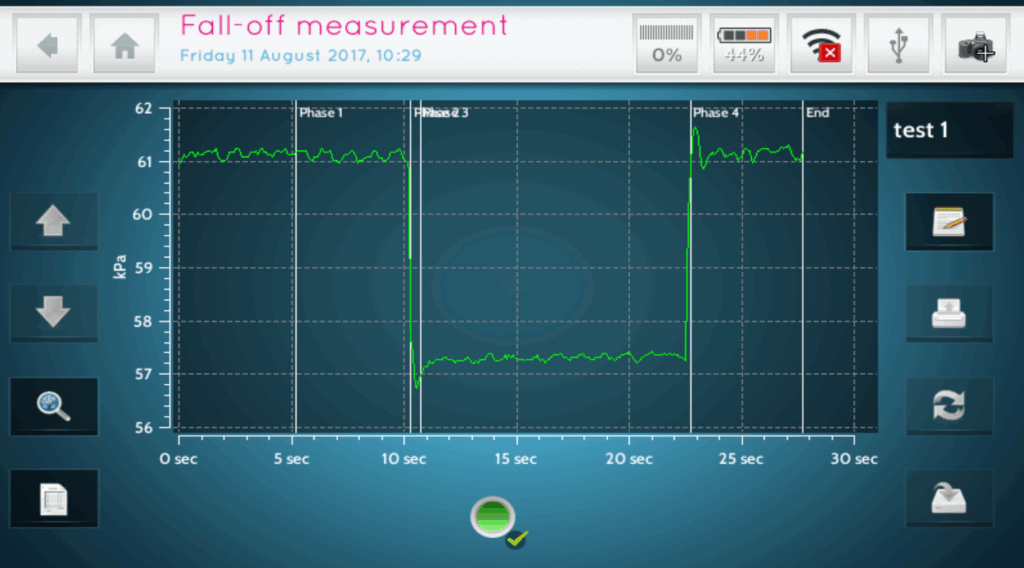
A milking machine should have enough airflow capacity to supply the normal operating requirements of the milking machine plus unintended air admission that may occur during unit attachment or unit falloff. A unit falloff test can be performed to determine if the milking machine has sufficient reserve capacity. Measure the average vacuum in the receiver with all units in operation and all teat cups plugged. Then open one milking unit to admit air through all four teat cups and measure the average
vacuum in the receiver again. If the milking machine has more than 32 units open a second unit to admit air. If the average vacuum level in the receiver falls by less than 2 kPa (0.6”hg) the system has sufficient reserve capacity to cope with unit falloff.

Manometer
The Manometer app measures and displays pressure in real time or records pressure changes over a selected period. Minimum, maximum, and average values are calculated and saved with an identifier and notes. Recordings can be retrieved later, subsets can be saved, and event markers can be added during measurement.